How to Set Up a Cricket Farm Monitoring System
Farms with automated monitoring catch anomalies 8x faster than manual-check operations. That gap in detection speed is the difference between a corrected temperature event and a dead bin of crickets.
Setting up a complete monitoring system takes a few hours and maybe $150 in hardware for a small operation. Here's how to do it from scratch.
TL;DR
- Farms with automated monitoring catch anomalies 8x faster than manual-check operations
- Setting up a complete monitoring system takes a few hours and maybe $150 in hardware for a small operation
- Sensors placed at ceiling height or on walls 6 feet up read temperatures 5–15°F higher than what your crickets are experiencing
- If your bins are stacked 4 feet high, sensors go at 4-foot height
- When a bin has a temperature event logged on Day 14 of grow-out, that context matters for understanding a later FCR outcome or mortality pattern
- In a room with more than 15 bins or significant temperature variation across the space, place sensors at multiple points
- In a DIY setup, you'd manually note significant temperature events in your bin log, "Day 14: temperature dropped to 76°F for approximately 3 hours, backup heat corrected
Step 1: Map Your Zones
Before buying hardware, map your facility.
- Sensors placed at ceiling height or on walls 6 feet up read temperatures 5–15°F higher than what your crickets are experiencing.
- If your bins are stacked 4 feet high, sensors go at 4-foot height.
- Alerts are linked to your bin zones, when an alert fires, you see which bins are affected.
Step 5: Set Up Bin Lifecycle Monitoring
Environmental monitoring tells you about your room.
- When a bin has a temperature event logged on Day 14 of grow-out, that context matters for understanding a later FCR outcome or mortality pattern.
What a Complete Monitoring System Covers
A functional cricket farm monitoring system has three layers:
- Environmental monitoring, temperature and humidity, per zone, with automated alerts
- Bin lifecycle monitoring, hatch dates, feeding logs, harvest windows, mortality events
- Integration, environmental data linked to bin records so you have a complete picture per batch
Most farms start with environmental monitoring because overnight temperature crashes are the most expensive failure mode. Bin lifecycle monitoring adds the operational intelligence layer. Integration, where CricketOps connects your sensor data to your bin records, gives you complete batch history.
Step 1: Map Your Zones
Before buying hardware, map your facility. Draw a simple floor plan and identify:
- How many distinct climate zones you have (separate rooms, or shelving areas with different temperatures in the same room)
- Where the coldest spots are (exterior walls, near vents, floor level)
- Where your most critical bins are located (eggs, pinheads, your highest-risk life stages)
You need at least one sensor per zone. In a single room with consistent temperature, one sensor may be enough. In a room with more than 15 bins or significant temperature variation across the space, place sensors at multiple points.
Step 2: Select Your Sensors
Choose WiFi-connected combined temperature/humidity sensors. Bluetooth sensors are only useful when you're physically present. WiFi sensors send data continuously to a cloud platform and can alert your phone from anywhere.
Budget-friendly options ($25–$60 each):
- Govee H5075, H5101
- Inkbird IBS-TH2 Plus
- SwitchBot Meter Plus
More capable options ($60–$150 each):
- Govee ProM series with data logging
- Onset HOBO MX2301 (commercial-grade, data logger with app)
For most commercial cricket operations, mid-tier consumer sensors work well. Professional data loggers add precision and export capability useful for compliance documentation.
How many sensors you need:
- Under 15 bins, one room: 2 sensors minimum (one in warmest spot, one in coolest)
- 15–50 bins, one room: 3–4 sensors at bin height across the space
- Multiple rooms or zones: at least 2 sensors per room/zone
Step 3: Place Sensors at Bin Level
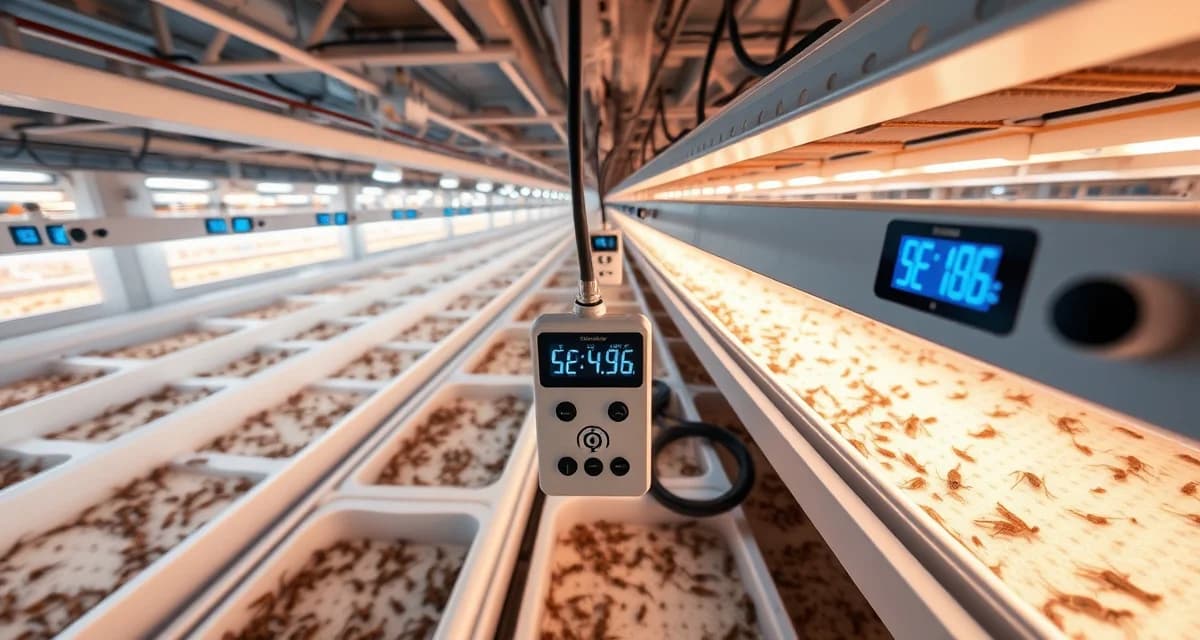
This is the step most people skip. Sensors placed at ceiling height or on walls 6 feet up read temperatures 5–15°F higher than what your crickets are experiencing.
Mount sensors at the height of your bin stacks. If your bins are on floor-level shelving, sensors go near floor level. If your bins are stacked 4 feet high, sensors go at 4-foot height.
After installation, check: does your sensor reading match what a thermometer reads when you hold it at bin level? They should be within 1–2°F.
Step 4: Configure Alerts
In whatever app your sensors connect to, set alert thresholds:
| Alert Type | Threshold | Rationale |
|---|---|---|
| Low temperature | 78°F | Buffer before mortality risk |
| High temperature | 94°F | Buffer before heat stress |
| Low humidity | 38% | Buffer before dehydration stress |
| High humidity | 78% | Buffer before disease risk |
Enable push notifications. Test them by temporarily moving a sensor to a cooler location and confirming your phone receives the alert.
If you're using CricketOps, configure your sensor thresholds in the Monitoring section. Alerts are linked to your bin zones, when an alert fires, you see which bins are affected.
Step 5: Set Up Bin Lifecycle Monitoring
Environmental monitoring tells you about your room. Bin lifecycle monitoring tells you about each batch of crickets.
Create a bin record for each active bin, including:
- Bin ID
- Species
- Hatch date
- Current life stage
- Location (links to your sensor zone)
In CricketOps: add each bin through the dashboard. Enter hatch date and species; the platform calculates the rest.
In a spreadsheet: create a row per bin with columns for hatch date, projected harvest date (hatch date + grow-out days), and current stage.
Step 6: Establish Daily Logging Habits
A monitoring system is only as good as what goes into it. Build these into your daily farm routine:
Morning check:
- Review overnight temperature and humidity logs
- Acknowledge any alerts that fired
- Note which bins are within 7 days of projected harvest
- Log any dead crickets found per bin, with cause
Feeding rounds:
- Log feed weight per bin, per feeding (this is your FCR input data)
Weekly:
- Review FCR data per bin
- Check temperature trends, is any zone drifting?
- Note any bins with unusual mortality patterns
Step 7: Connect Sensor Data to Bin Records
The final step is connecting your environmental data to your batch history. When a bin has a temperature event logged on Day 14 of grow-out, that context matters for understanding a later FCR outcome or mortality pattern.
CricketOps does this automatically, sensor data from the zone your bins are in is linked to those bin records. When you review a bin's history, you see the environmental conditions throughout that batch's grow-out, not just the lifecycle data.
In a DIY setup, you'd manually note significant temperature events in your bin log, "Day 14: temperature dropped to 76°F for approximately 3 hours, backup heat corrected."
Common Setup Mistakes
Placing sensors on the ceiling or high on the wall. Bin-level placement is non-negotiable for accurate monitoring.
Not testing alerts before relying on them. Test your alert setup before trusting it for overnight protection.
Setting only one alert threshold. Set both low and high temperature alerts, and both low and high humidity alerts.
Monitoring the room but not the bins. Environmental monitoring without lifecycle tracking tells you the room is fine. Bin monitoring tells you what's actually happening in each batch.
FAQ
What sensors do I need to monitor a cricket farm?
The minimum viable setup is two WiFi-connected combined temperature/humidity sensors placed at bin height in your grow-out space, connected to a platform with push notification alerts. For operations above 20 bins, add sensors at multiple points in the room to detect temperature gradients. Total cost for a 2-sensor setup: $50–$120.
How do I set up temperature alerts for my cricket farm?
Use the app associated with your WiFi sensors to configure low and high temperature alert thresholds. Set low temperature alerts at 78°F (7°F buffer above mortality risk) and high temperature alerts at 94°F. Enable push notifications and test the alerts by temporarily exposing a sensor to a temperature outside your set range to confirm the notification fires on your phone.
Can I monitor my cricket farm remotely with a smartphone?
Yes. WiFi-connected sensors send data continuously to cloud platforms accessible via smartphone app. CricketOps integrates sensor data with bin records and sends push notifications for threshold violations, accessible from any smartphone. 85% of CricketOps users access the platform via mobile at least once daily for alert checks, feed logging, and task management.
How does CricketOps help track the metrics described in this article?
CricketOps provides bin-level logging for the variables that drive production outcomes -- feed inputs, environmental conditions, mortality events, and harvest results. Rather than maintaining these records in separate spreadsheets, you can view performance trends across bins and over time to identify which operational variables correlate with better outcomes in your specific facility.
Where can I find industry benchmarks to compare my operation's performance?
The North American Coalition for Insect Agriculture (NACIA) publishes periodic industry reports with production benchmarks. University extension programs in agricultural states, including the University of Georgia and University of Florida IFAS, occasionally publish insect farming production data. Industry conferences hosted by the Entomological Society of America and the Insects to Feed the World symposium series are additional sources of peer benchmarking data.
What is the biggest operational mistake cricket farmers make in their first year?
Expanding bin count before achieving consistent FCR and mortality targets in existing bins is the most common and costly first-year mistake. At 5-10 bins, problems are manageable. At 30-50 bins, the same proportional problems represent much larger financial losses. Most experienced cricket farmers recommend holding expansion until you have three consecutive production cycles hitting your FCR and mortality targets.
Sources
- Food and Agriculture Organization of the United Nations (FAO) -- Edible Insects: Future Prospects for Food and Feed Security
- North American Coalition for Insect Agriculture (NACIA)
- Entomological Society of America
- University of Georgia Cooperative Extension
- Journal of Insects as Food and Feed (Wageningen Academic Publishers)
Get Started with CricketOps
The practices covered in this article are easier to apply consistently when they are supported by organized production data. CricketOps gives cricket farmers the tools to track what matters -- by bin, by batch, and over time. Start your next production cycle in CricketOps and see how organized data changes the way you manage your operation.